Dance AI: AI Dance Video Maker
- 4.3
- Rating
- 500.00K
- Installs
- Free
- Price

 Analysis by App-foxy
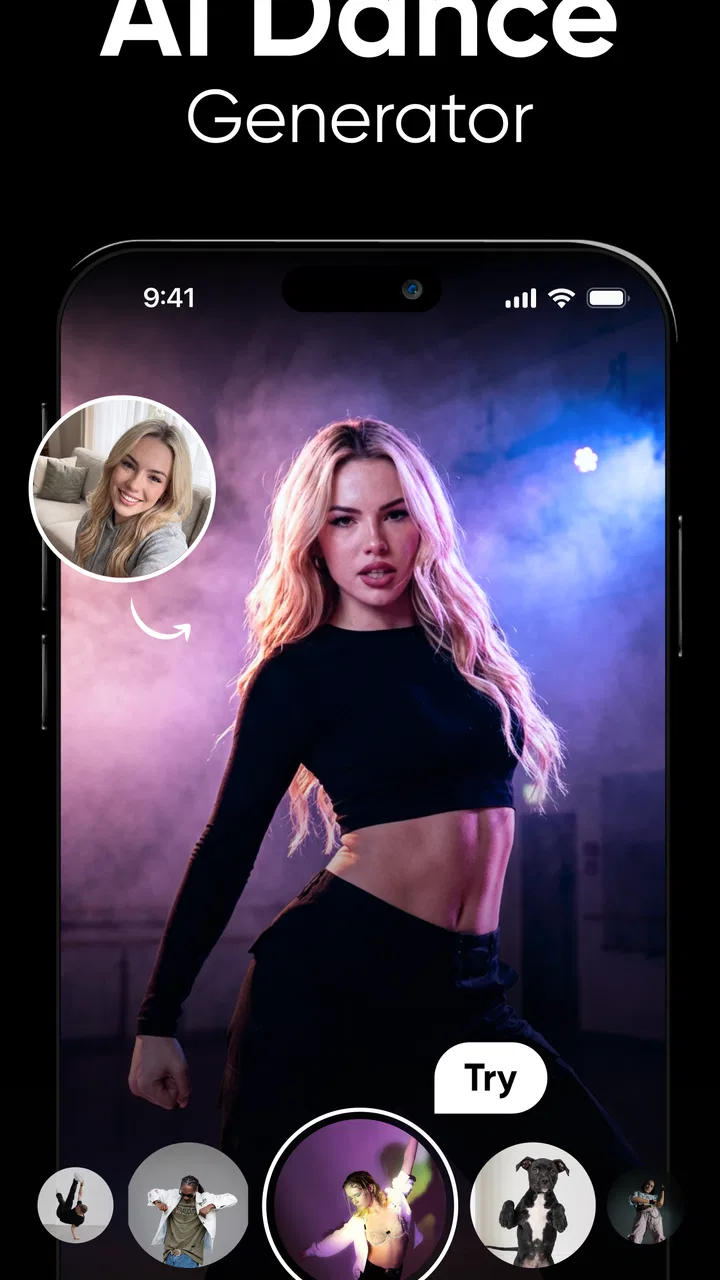
I tried Dance AI: AI Dance Video Maker as a quick way to turn a still photo into a short, playful dance clip, and my first impression was clear: this is built for instant experimentation rather than detailed video production. You provide an image, let the app apply its dance-focused AI treatment, and receive something designed to share. That narrow purpose is also its appeal. I do not need to learn a timeline, keyframes, transitions, or complicated editing controls before seeing a result.
At the same time, I would not confuse it with a full video editor or a replacement for recording a real performance. The app belongs to the photography category, but its practical output is animated video. That makes it interesting for social posts, jokes, greetings, and creative tests, while also giving it a fairly specific audience. If you want control over choreography, camera movement, music editing, or precise facial and body adjustments, a conventional editor will still be the better tool.
What the current version feels like to use
The current release is version 1.0.4, and that matters because Dance AI still feels like a focused, early-stage tool rather than a mature creative suite. The experience is centered on one question: can a single photograph become an entertaining dance video? I found that simplicity useful. There are fewer decisions to make, so the app invites short sessions instead of demanding a full editing project.
You May Also Like

 Blood Strike: 2.5 Anniversary
Blood Strike’s Loadouts Turn Every Drop Into a Tactical Gamble
A close look at Blood Strike’s custom loadouts: how fast access to signature weapons reshapes its battle royale rhythm, rewards preparation, and narrows the gap between fights.

 Pandora - Music & Podcasts
Pandora’s Music Is Easy to Start, but Harder to Recover
Pandora’s strength is its low-effort path from a seed to a station. Its weak spot is how much confidence it asks you to place in connection, setup, and quiet recovery.

 8 Ball Pool
 Is Built on Rivalries, Rematches, and Routine
A close look at the rivalries, rematches, shared routines, and unanswered safety questions that turn a quick pool match into a persistent mobile community.

 Samsung Music
’s Quiet Strength Is Playing What You Already Own
Its reach comes less from spectacle than from dependable access to a personal library. That simplicity is both the app’s strongest retention engine and its ceiling.

 AccuWeather: Weather Radar
AccuWeather Review: A Quick, Clear Forecast for Everyday Decisions
For everyday plans, the best forecast is the one you can understand quickly. AccuWeather makes rain timing, radar, and local conditions easy to act on, with a few trade-offs.

 Hill Climb Racing
Why Hill Climb Racing Still Turns Crashes Into One More Run
A tiny car, a bumpy hill and one more upgrade: Hill Climb Racing keeps resurfacing because its simple chaos makes every near-miss feel personal.
More From Our News Desk
View All News


The best starting image is not necessarily the most artistic one. A clear photo with the subject visible, a reasonably simple background, and a pose that gives the system enough visual information is a safer choice than a heavily cropped selfie or a busy group picture. This is one of the most important practical lessons: the quality of the input often matters more than the cleverness of the idea. A poor source image leaves very little room for an AI animation to look convincing.
I would prepare several candidate photos before beginning. A front-facing portrait may be familiar, but a picture showing more of the person can give the animation a better foundation. If the app produces an awkward result, changing the source image is often more productive than repeatedly trying to rescue the same one. That workflow is faster than treating every failed generation as an editing problem.
The app’s store summary describes its central action plainly: generate AI dance videos by uploading a photo. In practice, that makes it approachable for someone who has never used an AI media tool. You are not starting with a blank canvas. You are starting with a person, character, or image you already have and asking the app to reinterpret it through movement.
A useful everyday scenario
Imagine receiving a friend’s birthday message and wanting to answer with something more memorable than a standard sticker. I could choose a well-lit photo of myself, create a short dance clip, and send it as a lighthearted reply. The same workflow could work for a family group chat, a playful invitation, or a reaction to an inside joke. The value is not cinematic quality; it is the speed of turning an ordinary image into a personalized moment.
For creators, another practical use is testing a visual idea before investing time in a larger production. A character illustration, costume concept, or profile image can become a rough movement experiment. I would treat the result as a mood board or social teaser, not as a finished music video. That distinction helps set realistic expectations and prevents disappointment when the animation looks more amusing than polished.
Where it differs from ordinary photography apps
Most photography apps concentrate on exposure, filters, retouching, collages, or static effects. Dance AI takes a different route by using the photo as the starting point for motion. Compared with a normal editor, it removes the need to record yourself dancing, which is its strongest advantage. You can create a performance without a camera setup, suitable lighting, or a willingness to appear on video.
Compared with a standard AI video editor, however, its narrower focus becomes obvious. A general editor is usually more useful when I need to combine several clips, trim exact moments, add captions, balance audio, or build a structured story. Dance AI makes more sense when the transformation itself is the point. I would open it for a single-image dance concept, then move to another app if the project required a complete social video around that result.
There is also a difference in predictability. Manual editing gives me control over every cut and adjustment. AI animation gives me speed and surprise, but the output may not follow my mental picture exactly. That trade-off is central to the experience: I exchange precision for a fast creative result.
Changes, maturity, and the experience for current users
Dance AI was released on January 31, 2026, and the current version number suggests that the product is still in an early phase of development. I would read version 1.0.4 as a sign to watch the app’s direction rather than assume that its present workflow is final. The basic concept is already easy to understand, but future refinement will determine whether it becomes a dependable everyday tool or remains a novelty people open occasionally.
For someone installing it now, the benefit of an early focused release is that the purpose is not buried beneath a large collection of unrelated tools. The drawback is that a compact feature set can feel limiting once the initial novelty fades. I would approach it with a specific goal—make a playful dance clip from a photo—rather than expecting a broad studio with many export and editing choices.
Existing users should also keep their original photos organized. Saving the best source images separately makes it easier to revisit a successful idea after an update or try a different visual concept without searching through a crowded gallery. I recommend keeping the untouched original rather than relying only on an edited copy. AI experiments are easier to compare when the input remains consistent.
Another useful habit is to judge results at normal viewing size, not only while zooming in. Small irregularities may be acceptable in a quick message but distracting in a profile post or public video. I would review the entire clip before sharing, paying attention to whether the face remains recognizable, whether the pose changes naturally, and whether the background becomes distracting. This simple check is more valuable than assuming every generated result is ready to publish.
The app is free to install, which lowers the barrier for testing the concept. It also includes in-app purchases ranging from $6.99 to $79.99 per item. That range makes it especially important to understand your own usage before spending money. A casual user who only wants to try one or two ideas may be satisfied with the free experience, while someone generating many variations should think carefully about how quickly the paid options fit their budget.
I would not pay simply because one result is imperfect. AI output can be unpredictable, so a purchase should make sense only if the app is already producing results you genuinely want to use. For me, the sensible approach is to explore the free installation first, identify whether the visual style suits my photos, and only then consider any optional purchase. That avoids turning curiosity into an unnecessary expense.
Who will enjoy it most
This app is a good match for people who like quick visual experiments and do not want to perform on camera. It can suit social media users who enjoy humorous transformations, parents looking for a playful family activity, and creators who want a fast concept image with movement. It may also appeal to anyone who prefers a simple workflow over a large menu of technical controls.
The Teen content rating is worth taking seriously when deciding who should use it. I would not hand it to a younger child without adult judgment, particularly because the app works with personal photos and can produce shareable media. Families should discuss which images are appropriate to upload and where generated videos may be posted. Even when the result is harmless, a photo can become more public once it is turned into a video and shared.
I would skip Dance AI if my main goal were professional choreography, accurate motion capture, or a polished promotional video. It is also not the right first choice for someone who wants detailed manual control. A conventional editor, a dedicated motion tool, or a real camera recording will be more suitable when timing, continuity, and repeatability matter more than speed.
Limitations that shape the decision
The biggest limitation is the distance between a fun demonstration and a reliable production workflow. A single photo contains limited information about the person, clothing, depth, and environment. When an app asks that still image to support movement, some results may look less natural than others. I would embrace that uncertainty for jokes and experiments, but I would be cautious about using the output for anything where realism is essential.
Privacy is another point I would consider before uploading a recognizable person’s image. I would use my own photos or obtain permission from anyone clearly shown. This is especially important for friends, children, and images taken in private settings. The app’s creative purpose does not remove the need to think about consent before turning someone’s face into a shareable dance video.
There is also a practical question of patience. AI creation can feel instant when the idea works, but the overall process may become less satisfying if I keep generating versions without a clear target. My advice is to decide what the clip is for before starting: a private joke, a message, a draft post, or a visual experiment. That goal helps me stop at a good-enough result instead of chasing an imaginary perfect one.
Users should also remember that a dance video made from a photo is not automatically a complete post. I may still need another app to add context, captions, a title card, or a soundtrack that matches the intended audience. Dance AI is strongest as the central visual trick. It is less convincing as the entire content-production pipeline.
What I would watch next
The most meaningful future improvements would be the ones that make results more controllable and easier to use, not simply more elaborate. I would watch for clearer guidance about suitable source photos, more dependable handling of different poses, and a smoother way to compare variations. Those changes would directly address the main friction: knowing how to get a good result consistently.
I would also pay attention to how the app develops around the needs of returning users. Once the first experiment is over, people need reasons to come back. Better organization of creations, more useful ways to refine an idea, and a clearer relationship between free use and optional purchases could make the difference between a one-time novelty and a regular creative tool. I am not treating those as current features; they are the areas I would evaluate as the product evolves.
The developer, DeePix AI Apps, has a focused concept to build on. Its current audience response is encouraging without being overwhelming: the app holds a 4.3 average from around 805 ratings, with roughly 226 written reviews and over 50 thousand installs. I see that as enough activity to show real curiosity around the idea, while still leaving plenty of room for the product’s identity to develop.
My final recommendation is straightforward. Install Dance AI if you want a fast, low-effort way to turn a personal photo into a playful dance clip and you are comfortable with some variation in the results. Start with a clear, well-framed image, keep the original file, review the complete output before sharing, and test the free experience before considering purchases. It is best understood as a creative spark, not a complete video studio.
That distinction is why I enjoyed it. The app removes the hardest part of making a dance video—having to perform one—and replaces it with a small experiment that can produce a surprisingly shareable result. But if your project depends on exact choreography, professional consistency, or extensive editing, I would choose a more specialized tool. For quick personal creativity, though, Dance AI: AI Dance Video Maker offers a simple and entertaining reason to look at your photo collection differently.
FAQs for Dance AI: AI Dance Video Maker
01What is Dance AI: AI Dance Video Maker?
Dance AI: AI Dance Video Maker is an innovative application that allows users to create professional-quality dance videos using artificial intelligence. It analyzes music tracks and generates synchronized dance moves, making it easy for anyone to create captivating videos without extensive dance skills.
02Is Dance AI suitable for beginners?
Absolutely! Dance AI is designed for users of all skill levels. Its intuitive interface and AI-driven features guide beginners in creating impressive dance videos effortlessly. Even if you have no prior dance experience, the app's tutorials and automated suggestions will help you craft engaging content.
03What features does Dance AI offer?
Dance AI offers a range of features including AI-generated choreography, customizable dance styles, music synchronization, and video editing tools. Users can choose from various dance genres and adjust movements to fit their style, ensuring a unique and personalized video creation experience.
04Are there any in-app purchases or subscriptions?
Yes, Dance AI offers a free version with basic features, but to access advanced tools and remove watermarks, users might need to opt for in-app purchases or a subscription plan. These options provide enhanced capabilities and a more comprehensive experience for dedicated users.
05Is Dance AI available for both Android and iOS?
Dance AI is available for both Android and iOS platforms, ensuring a wide reach for users across different devices. You can download the app from the Google Play Store or Apple App Store, making it accessible for nearly all smartphone users looking to explore dance video creation.
Pros
- Easy-to-use interface for beginners.
- Wide variety of dance styles available.
- High-quality video output.
- AI generates custom choreography.
- Share directly to social media platforms.
Cons
- Limited free features without subscription.
- Occasional lag on older devices.
- Requires stable internet connection.
- In-app ads can be intrusive.
- Lacks advanced editing tools.

Dance AI: AI Dance Video Maker
Gallery